

Temperature alert raised at Station Road

A fridge that fails overnight shouldn’t cost you the morning’s stock

Or a failed inspection when the health inspector asks for the temperature records.

mpro5 Sensor Hub connects temperature sensors on every fridge and your daily checks to the people on shift, so every alarm and every missed check becomes a task with a named owner. The stock gets saved, and you have the proof ready when the health inspector walks in.

Book a Free Exposure Analysis
Demo starts instantly Demo takes about 3 minutes No sales call Free onboarding if you go ahead

Sim Trava took paper logbooks out of all 80 of its Costa Coffee stores in two weeks.

New: Sensor Hub, set up free by our own team.

9:41
1
To-dos
TodayScheduledDone
Due Today 2/6
Urgent  1Due soon  1
Prep Fridge 2 too warm
Reading 9.1°C, above its 5°C limit. Find the cause and protect the stock.
View
Morning1
Fryer oil check
10:00 – 10:30Due soon
Follow this alert yourself
Interactive demo · tap to start
Alarm to owner, instantly
Evidence captured
Trusted by
Not ready for a call?

See a fridge alert in action

Follow a temperature alert in a quick-service restaurant from sensor to sign-off, and see how the crew, the restaurant manager and head office each respond, with a few moments where you take over.

The crew on shiftGets the alarm and the task on their phone
The restaurant managerSees who owns it and what has been done
Head officeWatches it close out, with the evidence attached
The sensor workflow

What happens in the 11 minutes after a sensor trips

Every alert follows the same steps, so nobody on shift has to work out what to do on the spot, and nothing depends on someone happening to walk past the fridge.

09:28after the sensor trips
09:28

Out of range, alert raised

The moment a reading crosses its limit, Sensor Hub raises an alert, with no waiting for the next manual check.

09:28

A task for everyone on shift

It lands on every phone on shift at once, and the restaurant manager and head office see it live.

09:33

Find the cause

The task walks them through it one step at a time, starting with what they can see at the fridge.

09:35

Protect the stock

It says what to move first and what to label, and they photograph the moved stock as proof.

09:39

Call out and report

Fixed and stock saved ends the alert and can raise an engineer job. If it isn’t fixed, the alert escalates.

Stock protected, one restaurant, one night
£0

That is the figure from your calculator below. The alert is the difference between moving the stock and throwing it out.

Book a Free Exposure Analysis

And if a sensor goes quiet, it’s flagged as offline, so a dead sensor never hides a failing fridge. Every reading, response and photo stays on one record, ready for your health inspector.

mpro5 Sensor Hub

See every reading, and exactly when it breached

Sensor Hub is where your temperature data lives. Every fridge and freezer across every site, with the full history of readings, the moment a fridge went out of range, how long it stayed there and the task that brought it back.

mpro5 · Sensor Hub
All sites › Station Road › Prep Fridge 2

Prep Fridge 2

OKSensor Hub
Now3.4°CWithin limits since 09:44
Limits0 to 5°CMake line, Station Road
Peak this morning6.2°CAt 09:38
Time out of range16 minOne alert, ended by task
ReadingsEvery reading, 08:30 to 10:30 today
24 h7 d30 d90 d1 yCustom
0°5°8°08:3009:0009:3010:0010:30 09:28Breach: alert and task raised 10:05Back within limits, alert closed
Within limitsAlertTask raised
Ended by taskTemperature high · above 5°C · raised 09:28 · ended in 11 minutes by Amy LewisOpen task

Every reading, kept

Zoom from the last day to the last year for any unit, so a drifting fridge shows up long before it fails.

The breach, to the minute

When it crossed the limit, how high it went, how long it stayed out and when it came back.

The response, linked

Every alert opens the task behind it: who acted, the cause, the photos and the engineer job.

Every site on one screen

Head office sees every fridge in every restaurant on one screen, worst first, with offline sensors flagged.

How it compares

Three ways to find out a walk-in has failed

Paper checksController alarm alonempro5 Sensor Hub
Catches an overnight failureAt the next check, if it is doneOnly if someone is watching the panelAlerts the team on shift the moment a reading crosses its limit
Gives a second reading, separate from the controllerNot applicableNo, the same system is reporting on itselfYes, the sensors report separately from the controller
Someone owns the responseDepends who finds the sheetAn alarm, with no ownerA task with a named owner that escalates until somebody acts
Proof for an auditor or inspectorA signed sheet, if it can be foundA reading, with no record of what was doneThe reading, the response, the photos and the timing on one record
What it costs to startTime, every dayA contractor visit and a licenceFree onboarding by our own team
Free onboarding

We set it up for you, at no charge.

Sensor Hub is new, and our own team does every setup. There is no implementation project for your restaurant teams to run and no consulting bill before you see value.

STEP 1

We map your restaurants

A short call to agree which restaurants and which walk-ins matter first, and who gets alerted after hours.

STEP 2

We set it up

Our team configures your sensors, limits, alerts and escalation, and builds the checks and tasks that sit behind each alert.

STEP 3

You see it fire

Your first alert opens a task, the right person picks it up, and you see the reading, the response and the proof on one record.

STEP 4

We roll it out with you

Start with your highest-risk restaurants, then roll out to the rest with the same onboarding team.

Book a Free Exposure Analysis

Already run mpro5? Say so on the form below and we will switch Sensor Hub on for you, free, on the platform your teams already use.

Two-minute self-check

How many of these happened in your restaurants last month?

Be honest, the health inspector isn’t reading this.

0of 6

Tick any that ring true

Book a Free Exposure Analysis
Put in your own numbers

What does one bad night cost you, per day?

One walk-in left ajar or one failed unit rarely happens twice in a week, but it ends a service. Put your own numbers in and see the daily cost of finding out in the morning.

Daily exposure from failures you only find out about later
£0

Book a Free Exposure Analysis

Your restaurants x stock lost per event, divided by the days between events. A London refrigeration firm puts one busy restaurant’s overnight walk-in failure at £3,000 or more of stock, before replacing a condensing unit. Indicative only, so move the sliders to your own numbers.

The hidden risk

What if the alarm never reached you?

This autumn, reports said hackers pushed up fridge and freezer temperatures in hundreds of supermarkets in France, then in seven more European countries, Ireland included. Some fridges reached 50°C. France’s cybersecurity agency put it down to basic shortcomings: refrigeration systems left open to the internet and protected by weak passwords.

Sources: Al Jazeera, 13 Oct 2026 and AFP, 3 Nov 2026.

Restaurant kitchens run on the same kind of connected kit. If the system controlling your fridges is also the one telling you they’re fine, a breach or a missed alarm leaves you blind until someone opens the door.

Independent sensors give you a view you can trust, and mpro5 puts it in front of the crew on shift before a warm fridge turns into lost stock and a closed kitchen.

Another chance to act before the stock is lost.

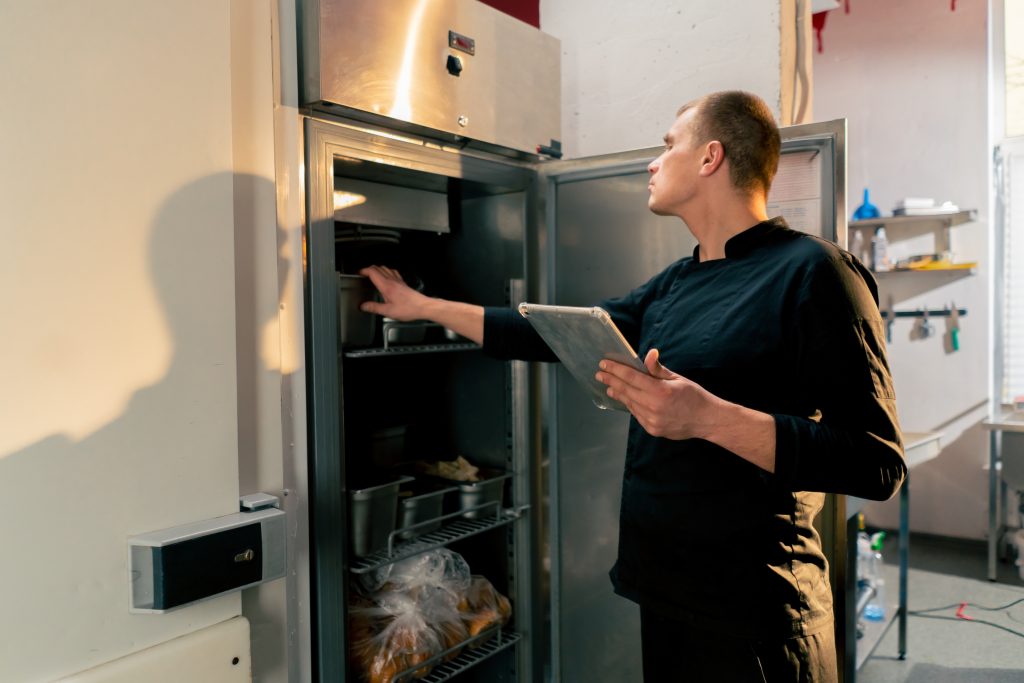
Chef checking a kitchen fridge with a tablet in hand
Play the fridge alertClick through it as the crew on shift
The mpro5 Compliance framework

A temperature reading on its own doesn’t tell you whether anyone acted.

That’s why mpro5 goes beyond recording the check. The mpro5 Compliance framework is built around what happens next: Check, Fix, Prove, Prevent, Empower.

01

Check

Sensor Hub watches every fridge and freezer, and daily checks happen on time.

02

Fix

The right person on shift gets a task with a named owner that escalates if nobody picks it up.

03

Prove

Who dealt with it, what they did and when, ready for your health inspector.

04

Prevent

A sensor that goes quiet is flagged offline, so a dead sensor never hides a failing fridge.

05

Empower

Your crew get clear next steps at the fridge, one at a time.

mpro5 is the most agile platform in our business. It got us further in just 3 weeks than other systems managed to get in years.
Tesco
What hospitality teams achieve with mpro5

Proof from the floor

2 weeksto go live across 80 Costa stores
£1m+saved every year at Tesco
160paper logbooks replaced at Tesco
80stores in 2 weeks

Costa Coffee and Sim Trava: 80 stores in 2 weeks

Sim Trava, an 80-store Costa Coffee franchisee, replaced error-prone paper compliance logbooks with mpro5, rolled out across all 80 stores at once in just two weeks.

The result is real-time, GPS-stamped compliance records for fridge checks, delivery temperatures and stock rotation, with the manual audit headaches and legal exposure gone.

With 98% staff briefing attendance and a custom onboarding portal, adoption was smooth from day one.

£1m+saved every year

Tesco: 160 paper logbooks gone

When Tesco started working with mpro5, its stores were juggling more than 160 different paper logbooks.

Today mpro5 runs store compliance and tasks across more than 3,000 stores and 160,000 active users, saving over £1m every year and cutting slips and trips claims by 60%.

If it works at that scale, it will work across your restaurants.

Before you book

Temperature monitoring questions, answered

What is remote temperature monitoring for restaurants?

It’s the use of wireless sensors in fridges and freezers to send readings automatically, so you can see every fridge and freezer in every restaurant in real time and get alerted the moment one goes out of range, without relying on manual checks with a probe and a clipboard.

What temperature should a restaurant fridge be?

In the UK, chilled food must legally be kept at 8°C or below, and the Food Standards Agency recommends 5°C or below. In the US, the FDA Food Code requires foods that need temperature control to be held at 41°F (5°C) or below. Sensor Hub alerts your team as soon as a fridge crosses the limit you set.

How do you prove fridge temperatures to a health inspector?

Inspectors want to see temperature records and what you did when something went wrong. Sensor Hub keeps every reading for every fridge and links each alert to the task that dealt with it, with who responded, when and what they did, so you can show the full record by restaurant and date.

What is the Free Exposure Analysis?

A free 30 minute call that shows where your sites are exposed today, without Sensor Hub in place, and leaves you a list of fixes to start tomorrow. You get an exposure score out of 5, the three risks costing you most as a daily figure, a fix list you can use whether or not you work with us, and a written report within five days that is yours to keep.

What is Sensor Hub?

Sensor Hub is the part of mpro5 that connects your temperature sensors, keeps every reading, raises an alert the moment a unit goes out of range and turns it into a task for the people on shift. It lives in the same app as your checks, so the alert, the response and the proof all sit in one place.

Do we need new sensors?

We’ll check what you have on the first call. If you need sensors, we’ll recommend options that suit your restaurants.

Would it still work if our fridge controls were hacked?

It depends how your sensors connect. Sensors that report over their own connection, rather than through the refrigeration controller, keep reporting. We’ll check yours on the call.

Who gets the alert after hours?

Whoever you decide, whether that’s the duty manager, the regional manager or a contractor. If they don’t pick it up, it goes to the next person on the list.

Does it replace our paper temperature logs and daily checks?

Yes. Opening checks, temperature logs, cleaning, maintenance and sensor alerts all live in one task list in the same app, so the clipboard can retire.

Can we start small?

Yes. You can start with your highest-risk restaurants, prove that the second view and the alert process work, and then roll out to the rest of your restaurants with the same onboarding team.

What does it cost to get set up?

Onboarding’s free. Our own team builds your checks with you and helps you roll out, which is how

Free Exposure Analysis

See how exposed your restaurants are

A free 30 minute call that shows where you are exposed today, without Sensor Hub in place, and leaves you with fixes you can start tomorrow. You get:

  • Your exposure score, out of 5, for the sites and walk-ins you choose.
  • The three risks costing you most, shown as a daily figure.
  • A fix list you can start tomorrow, whether or not you ever use mpro5.
  • A written report within five days, yours to keep, whatever you decide.

There’s nothing to prepare, though your last few inspection reports and a list of your fridge sensors help if they’re handy. You’ll speak to someone who knows the standards you work to, and the report is yours to keep whatever you decide.

Why now: Busy December service and closed bank holidays are when a failing fridge goes unnoticed longest. Setup before the festive period means it is watching when it matters.

Not ready for a call? Click through the interactive demo now, it starts straight away.

Walk away knowing which of your restaurants would catch it in time, and which wouldn’t

How long before a warm fridge reaches your dashboard?

If it takes until the opening shift to find out, that gap is your biggest risk. Get your exposure score and a fix list for your restaurants in 30 minutes, free. If you go ahead with Sensor Hub, onboarding is free too.

Book a Free Exposure Analysis

Before you go, see the fridge alert play out

Follow a restaurant fridge alert from sensor to sign-off. It starts straight away, no call needed.

Related: hospitality compliance software, IoT sensor monitoring and alerts, HACCP plans: free generator, guides and examples.

Book a demo